A coding agent's mating ritual: npx vitest run, 5 times
When a coding agent repeats the same tool call five times within three minutes, Caprock raises a loop alert. It stops nothing: it tells you. Free.
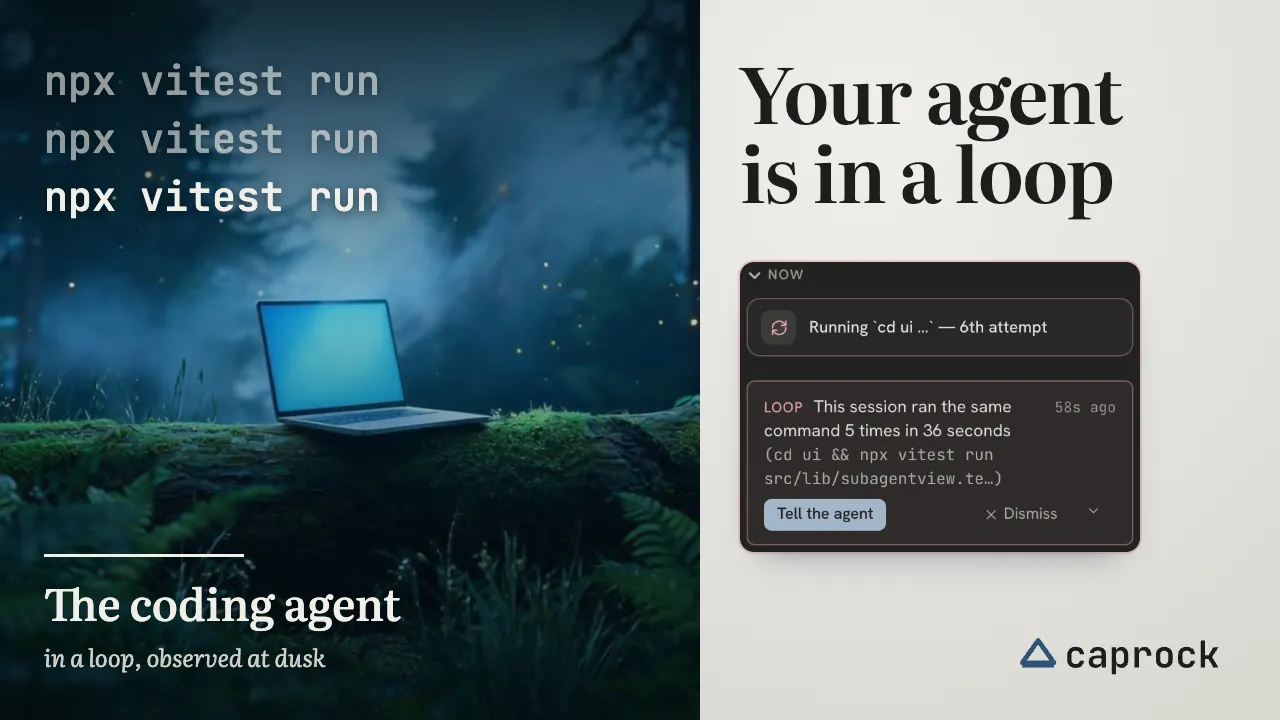
Demo data: the session, the command, "5 times in 36 seconds" and the costs come from Caprock's demo screenshot. Voice-over and the two nature shots are AI-generated.
Watch on: YouTube Shorts
More explainers on YouTube Follow the build: YouTube Instagram Threads X
Transcript
The ritual
Here we observe a coding agent's mating ritual. npx vitest run. npx vitest run. npx vitest run.
Five times in thirty-six seconds.
In the wild, this is called a loop. Each attempt still costs tokens.
Its keeper is in another tab.
The loop alert
Caprock watches every session on your machine. Five of the same tool call within three minutes, and a loop alert appears.
Reading files doesn't count. Re-reading is normal for the species.
The alert stops nothing. It tells you.
Tell the agent, and your message waits in its queue until its turn ends, on sessions Caprock started. Or dismiss it.
Not with a stop
And so the ritual ends. Not with a stop, but with a message.
Loop alerts are free. Caprock: free and open source. caprock.dev.
How it works
Five of the same tool call in three minutes.
Then Caprock raises one loop alert: a sentence that names the command and how often it ran. Loop alerts →
Reading files does not count.
Read, Grep and Glob are left out, because re-reading after an edit is normal work.
It stops nothing.
Tell the agent puts your message in that session's queue, and the agent reads it when its turn ends. Or dismiss it, or mute that command for the session.
It types only into sessions Caprock started.
Tell the agent is offered only there. For a session you started in your own terminal, Caprock never types into it and offers Open session instead.
Free.
Loop alerts are in the free, open-source app, for Claude Code, Codex and Cursor sessions alike.